

The default model
New conversations, and requests that don’t name a model, start on the default model. Unless your organisation has chosen another, that is Pareto, a blended model by unbiased.ai: for each request it asks several frontier and open models and merges their answers into one, at one flat price per token. Pareto 26.10 reads text and images and has a context of 1M tokens. An organisation’s owners and admins can choose another default for everyone in the organisation’s projects, on its Permissions & security tab in AIUS Light (see Organisations). The organisation pays, so its default comes before a member’s ownmodel setting. /models
marks it Default, and “go back to my default model” switches to it. You can
still pick another model for one conversation.
Choosing a model
Type/models in the terminal or in AIUS Light. The list opens on
Recommended: AIUS’s curated list, meaning every chat model AIUS has reviewed
and its pick for each kind of media. Switch to All for everything, or to a category, such as
Coding, Legal or Speech. In the terminal, press ctrl+y to step through them; in
AIUS Light and on Prices, use the Category menu. Typing a search always
looks through every model, whatever category is selected.
Each model shows the lab that made it (with its logo in AIUS Light and on
Prices), its price tier, its price and one line on what it suits best.
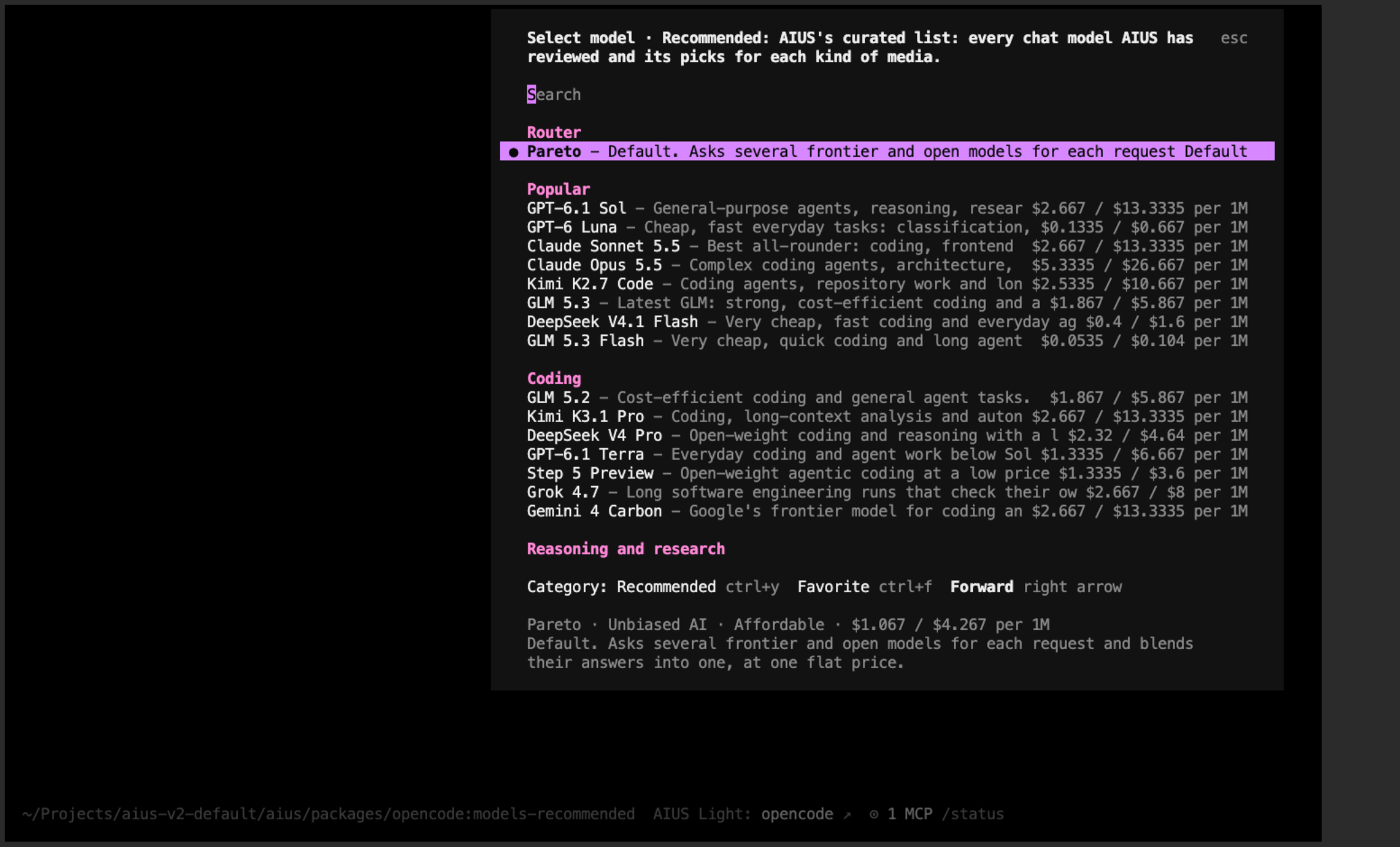
The model picker
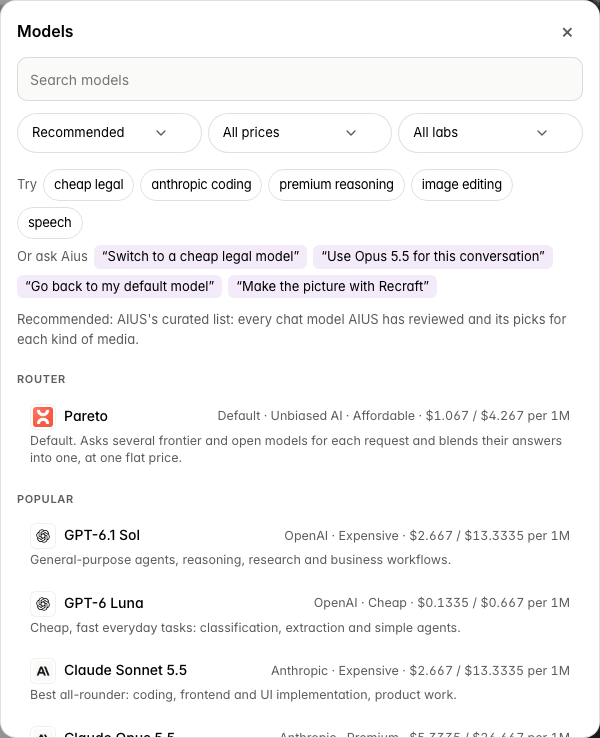
The same list in AIUS Light
aius --model aius/opus-5.5. A model can be
known by more than one ID, for example a dated release and its “latest” name;
AIUS treats them as the same model with the same price. A preview, or a
different model of the same family, stays a separate model.
Finding a model
/models (in the terminal and in AIUS Light) and Prices have the same search and filters: category, price tier and lab. Search matches a model’s name, lab, price tier and categories, and words can be combined in any order:
Or ask Aius in plain words, in the terminal or in AIUS Light:
- “Switch to a cheap legal model”
- “Use Opus 5.5 for this conversation”
- “Go back to my default model”
- “Make the picture with Recraft”
Categories
Prices
Every price is what you pay, in US dollars, with AIUS’s 25% margin included: the inference provider’s price divided by 0.75, rounded up to $0.0005. Chat models are priced per 1M tokens in and out, media per image, second, minute or characters. Prices follow the inference providers and update every 15 minutes. A model on private inference costs what the same model, or the nearest of its class, costs on OpenRouter. Every answer shows what it cost, and the cost counts in your organisation’s budget. See them all on Prices.Which models are available
Every model AIUS’s inference providers serve can be used:- Recommended holds the chat models AIUS has reviewed: their limits, prices and how well they work with tools.
- All adds every other chat model that OpenRouter, GMI Cloud, Anthropic or OpenAI serves, that can use tools, and that has a fixed price. That covers about 270 more, for example Mistral Large 4, GPT-6.2 Sol, Claude Opus 4.8 and Grok 4.7. Each one shows its lab, price tier and price, and runs in the usual provider order. AIUS hasn’t reviewed these models, so try one before relying on it. The list updates from the providers every 15 minutes.
-
Media models: every media model the providers list. Search for them in
/modelsor on Prices, or name one in a request (see Images, audio and video). - Private inference: where your organisation has it, every model the private endpoint (for example Ollama) serves, priced as the same model on OpenRouter.
latest aren’t in the chat list.
Answer details
Each answer is labelled with the model that wrote it and how long Aius worked, for example “Aius on GLM 5.2 · 22.8s ⓘ”. Select the label to open one line under it: when it answered, how long it worked, what it cost (with any subagents it started), which provider served it, the tokens it read and wrote, and the request ID. Your own messages say where you sent them from, for example “You via TUI · 10:42” or “You via Light · 10:42”. The terminal and AIUS Light show the same lines. Answers from before 17 November 2026 show only what was saved with them.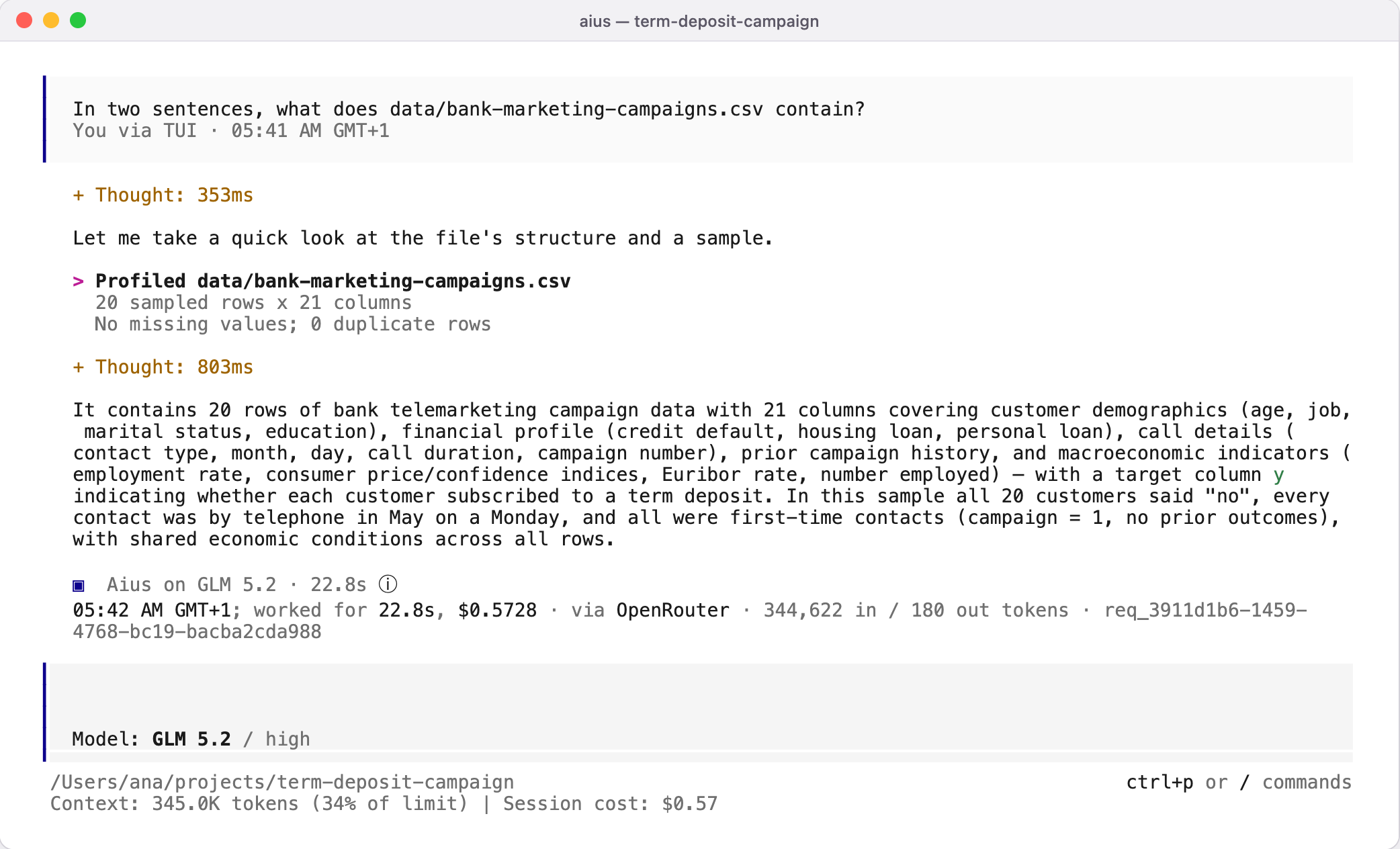
An answer with its details open
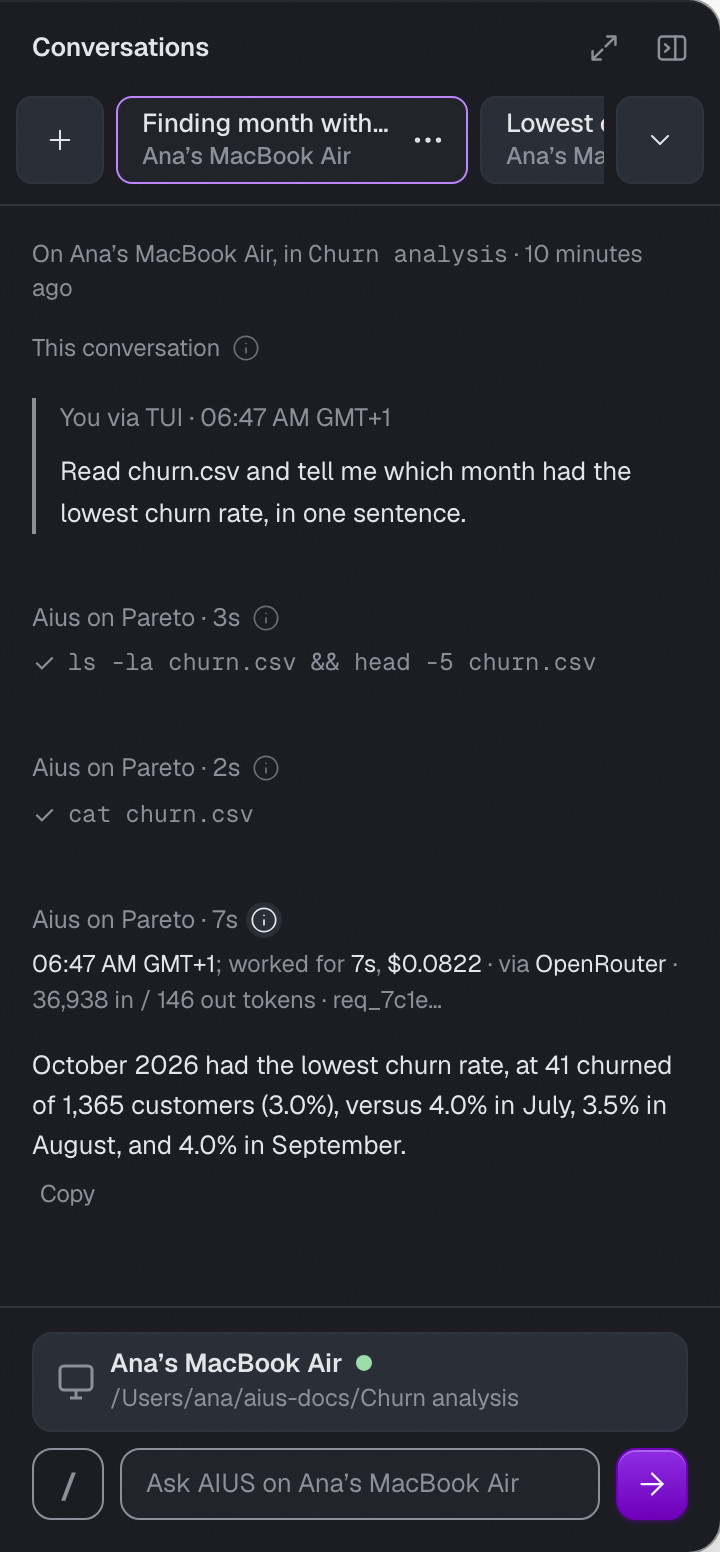
The same answer details in AIUS Light
Who pays
In a folder linked to an AIUS Light project, the project’s organisation pays for the work done there: a team’s credit pays for its project, even while your personal organisation has none left. A link that came inside a copied or cloned folder counts only once you confirm it. Anywhere else, model requests are billed to the organisation you work in: your personal organisation, the one Light creates with your account, until you switch. To work in another organisation, type/organisation, pick it and
choose Switch to this organisation, or run aius platform organisation <id>. The choice belongs to your account, so the web and your other terminals
follow it. The session sidebar’s Session cost says which organisation pays.
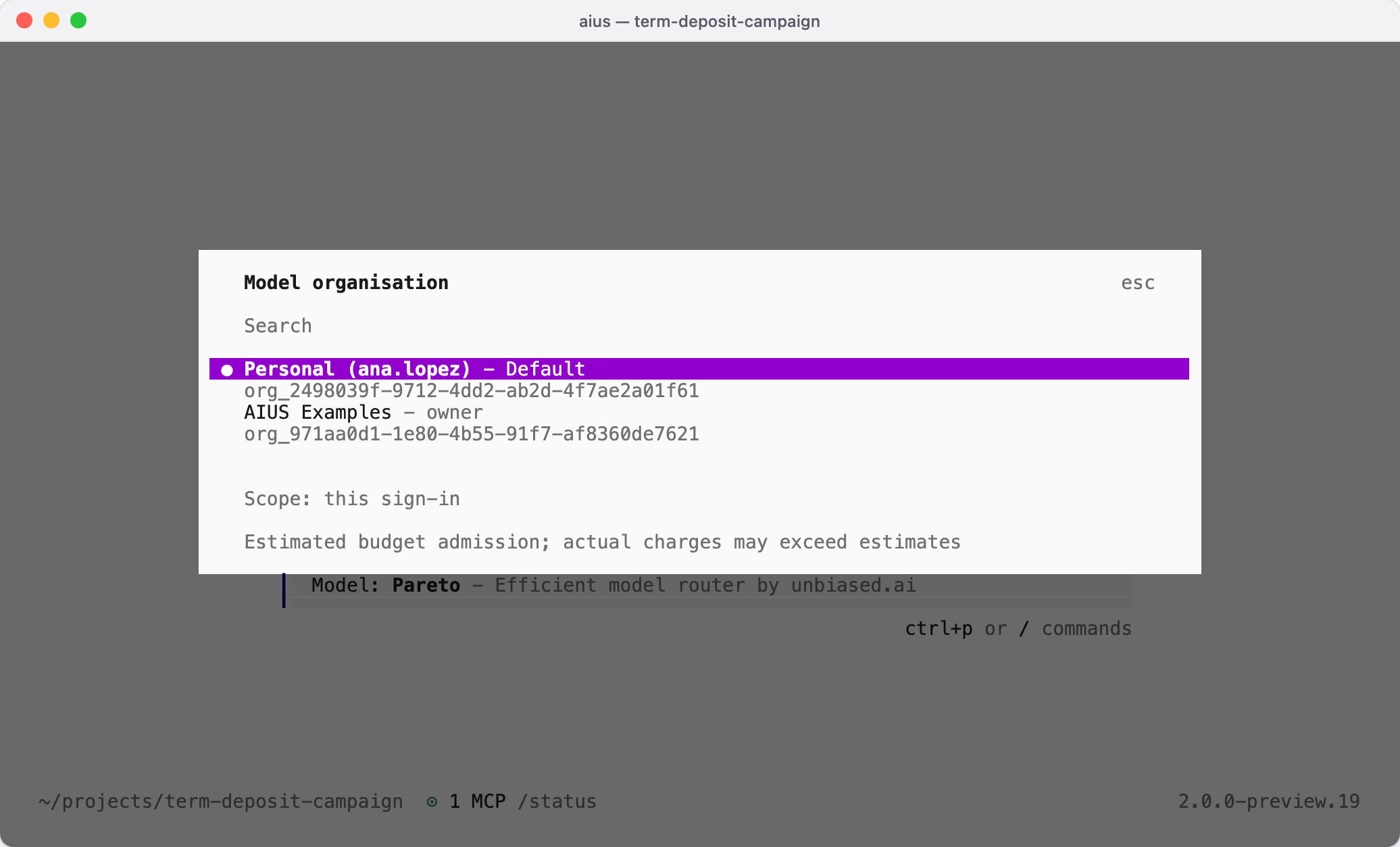
Choosing the organisation that pays for model requests
aius platform credits shows the recorded
budgets.
When the organisation’s budget is used up, the terminal says which
organisation and what to do: its owners and admins get a link to its Payments
page to add credit, and members are told to ask its owner (outside a project’s
folder, also that they can switch organisation with /organisation). A member
who has used the monthly limit
an owner or admin set for them is told the limit and to ask an owner or admin to
raise it. If AIUS’s models are unavailable for a while,
the terminal says so; try again later. If the model provider’s moderation
flags a request, the terminal says so and nothing is charged; rephrase it, or
choose another model with /models. None of these is a problem to report.