


Two of the commands in a terminal
aius and aius run:
In the terminal, Enter sends your message. For a new line, press Shift+Enter; if your
terminal sends that as a plain Enter (macOS Terminal, and the terminal in VS Code or Cursor),
type
\ and then press Enter, or use Ctrl+J or Option+Enter.
In the terminal, /report sends the AIUS team a report about a problem, with your
note; see Reporting a problem.
In a conversation in AIUS Light, select / next to the message box, or type /,
for the same commands as in the terminal. AIUS Light opens /models, /mcps,
/new, /sessions, /copy and /help itself, with the same lists as the
terminal. /compact and your folder’s own commands go to the terminal running
the conversation, as if you had typed them there. Commands that only work in the
terminal say so.
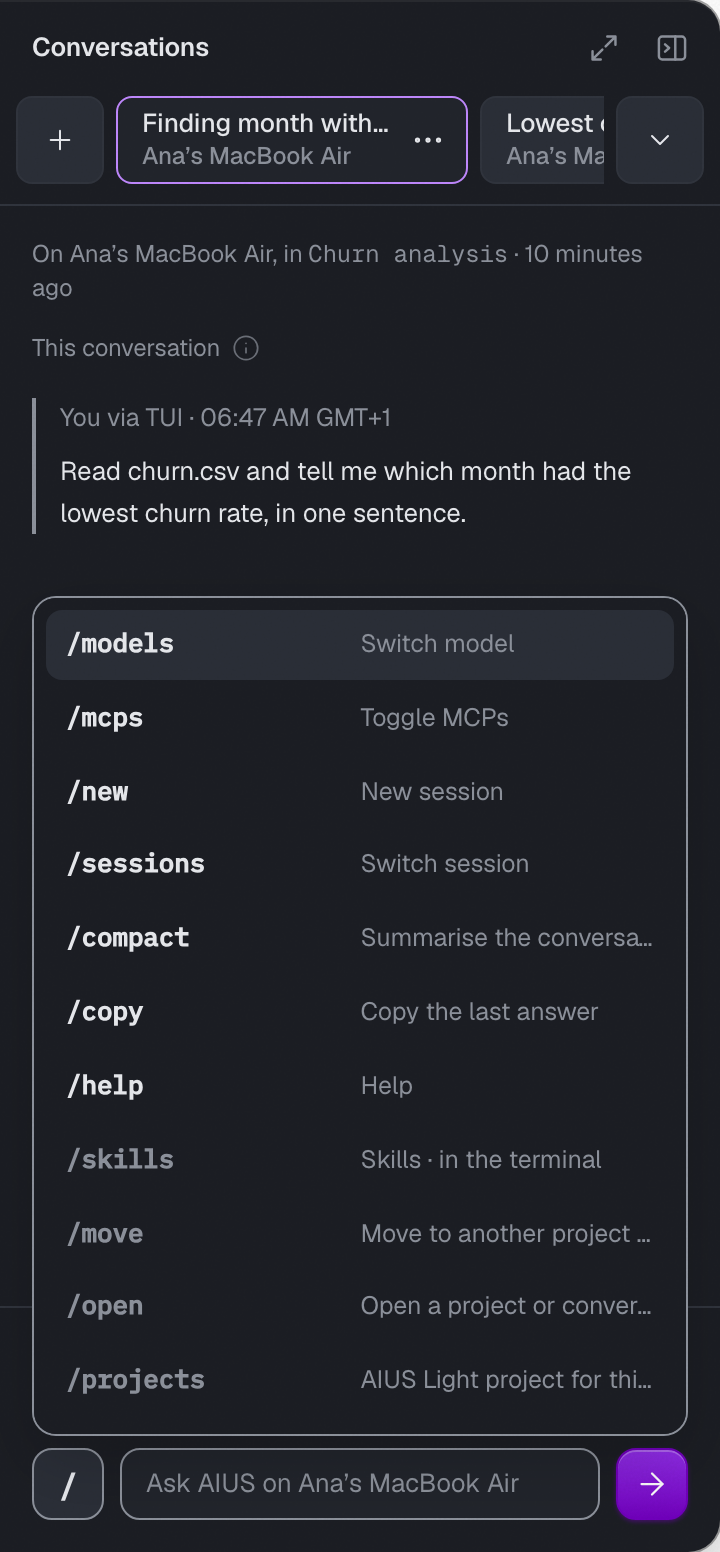
The / menu in AIUS Light
aius run never waits for you: requests that need approval are declined, so it
will not install packages or publish unless you pass --auto.