

output/, to the project your folder is linked to
without asking, and tells you each time with the link: the people with access
to that project can read them, which can include guests from outside your
organisation. It stops and asks before it does anything
else that changes your environment or shares your data.
Before a job that would run for a long time or cost much, the agent proposes it
in the conversation and waits for your answer. When your question needs data
from a service you use, it proposes connecting it and walks you through it; the
connection itself still waits for your approval.
Questions
When a choice is yours to make, the agent asks a question with options. Use ↑ ↓ to choose, Enter to confirm, or type your own answer. Several questions appear as tabs; review them on the last tab before you submit. A key or password for a connection is asked for in a hidden field instead: it shows dots, never the key, and the review shows it as “hidden”. See Keys and passwords.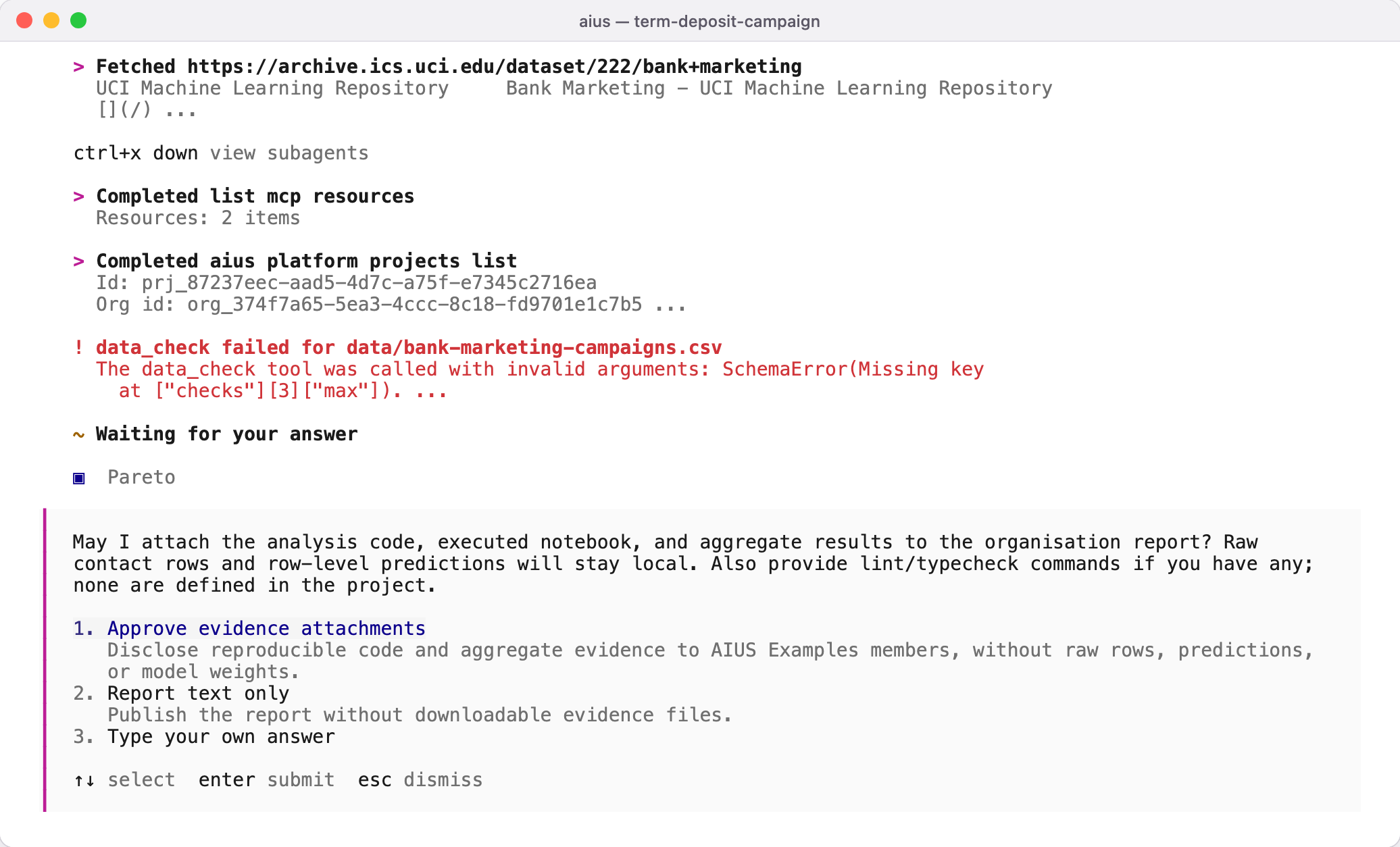
The agent asks which evidence to attach to a report
Permission prompts
When a command or tool needs permission, the terminal shows the exact command and these choices:- Allow once — run it this time only.
- Always allow — allow this exact thing from now on: the same command or the same folder, so a different command still asks.
- Allow all service — for a tool of a connected service (for example Allow all gmail-work): allow every tool of that service for the rest of this session, so setting up an account asks once, not once per tool.
- Allow all — allow everything for the rest of this session, including requests already waiting, and never ask again for it. In AIUS Light’s remote view of a conversation the same answer appears as Allow all.
- Reject — refuse it; nothing runs, and the agent looks for another way.
aius --auto
starts the terminal with it already on.
When the folder is linked to a project, the organisation it belongs to can
set a conversation permission policy
that decides first: its denials always refuse, its allow-list runs without
asking, its ask rules always ask you, and it can keep the allow-all bypass
off entirely.
To be asked before every report as well, tell the agent “Always ask before
publishing”. It saves that in your settings, as "artifact_publish": "ask" and
"aius_platform_report_publish": "ask" under permission.
Aius reads its settings only from ~/.config/aius-agent/aius.json and, in a project,
from aius.json or .aius/aius.json. Settings written for other coding agents
never change what Aius asks before it acts.